
Arctium App

Version 0.2.329Preview 2

Mod management, app gallery, and addons for your favorite MMO game.

Soon
Windows 10/11 Updated 2026-08-10

Preview 2 v0.2.329.0

2026-08-10
Added
  • New server regions: pick US East (Americas) or China (Mainland) alongside Europe, during first-run setup or later in Settings.
  • Light mode: switch between Dark and Light in Settings, applied instantly without a restart. It is brand new and still being refined, so tell us what looks off.
Improved
  • Reworked notification center: app updates, gallery app updates and news are grouped under clear headings, with larger, easier-to-read text and clearer labels. Version changes now read as old -> new.
  • More of the app is now translated into Chinese (Simplified), including first-run setup, badges and several buttons that were still in English.
  • Clearer server region step during first-run setup, with better guidance for each region.
Fixed
  • Fixed the app crashing on launch after about a week of use. The previous release only had a temporary workaround; this is the complete fix.

Preview 2 v0.2.302.0

2026
Fixed
  • Fixed squished text in search, rename and other input fields.
  • Temporary fix for the app crashing on launch. A complete fix will follow in the next update.

Preview 2 v0.2.300.0

2026
Added
  • Arctium can now keep running in the background instead of exiting when you close the window. You get asked once which you prefer, and you can change it any time in Settings > General.
  • Quit straight from the tray icon or the app logo menu.
Improved
  • Arctium ships with a unified font now, so text looks the same on every Windows version.
Fixed
  • Memory leak while Arctium was left open (hopefully).
  • Text sitting slightly too high in buttons and tabs on Windows 10.

Preview 2 v0.2.299.0

2026
Fixed
  • Fixed an issue where the App requires .NET to be installed.

Preview 2 v0.2.298.0

2026
Major
  • Arctium App Preview 2.
Added
  • New Home page with quick launch cards for the apps you pin. Set a default version per app, or switch the game client for a single launch.
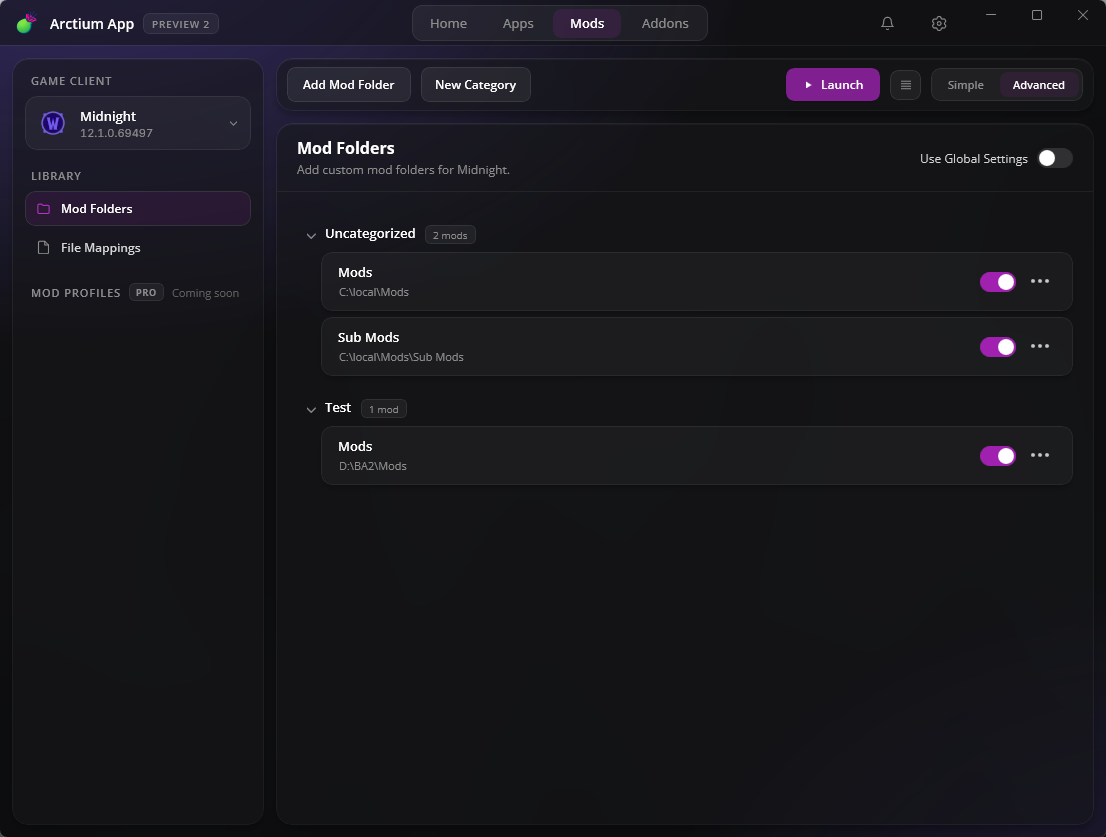
  • Mod categories: group mods and file mappings into categories and subcategories, nest them, and reorder everything by drag and drop. The load order follows exactly what you see.
  • Notification center in the title bar: app updates, gallery app updates and news in one place, with Windows notifications.
  • The launch console is now a docked panel on Home, Apps and Mods. Pin it, or let it close itself after a delay you choose.
  • Removing a game client now backs up its mod setup, and adding the client back offers to restore it.
  • Simple and Advanced mode for the Mods page. Simple stays a flat list, Advanced unlocks the full category tree. Both can run with compact rows.
  • Accent themes with five presets and a custom color picker.
  • Chinese (Simplified) is now available, selectable in the General settings.
Pro
  • Some of the above are Pro features. Everything Pro is unlocked for everyone while the preview runs, so try it all and let us know what you think.
Improved
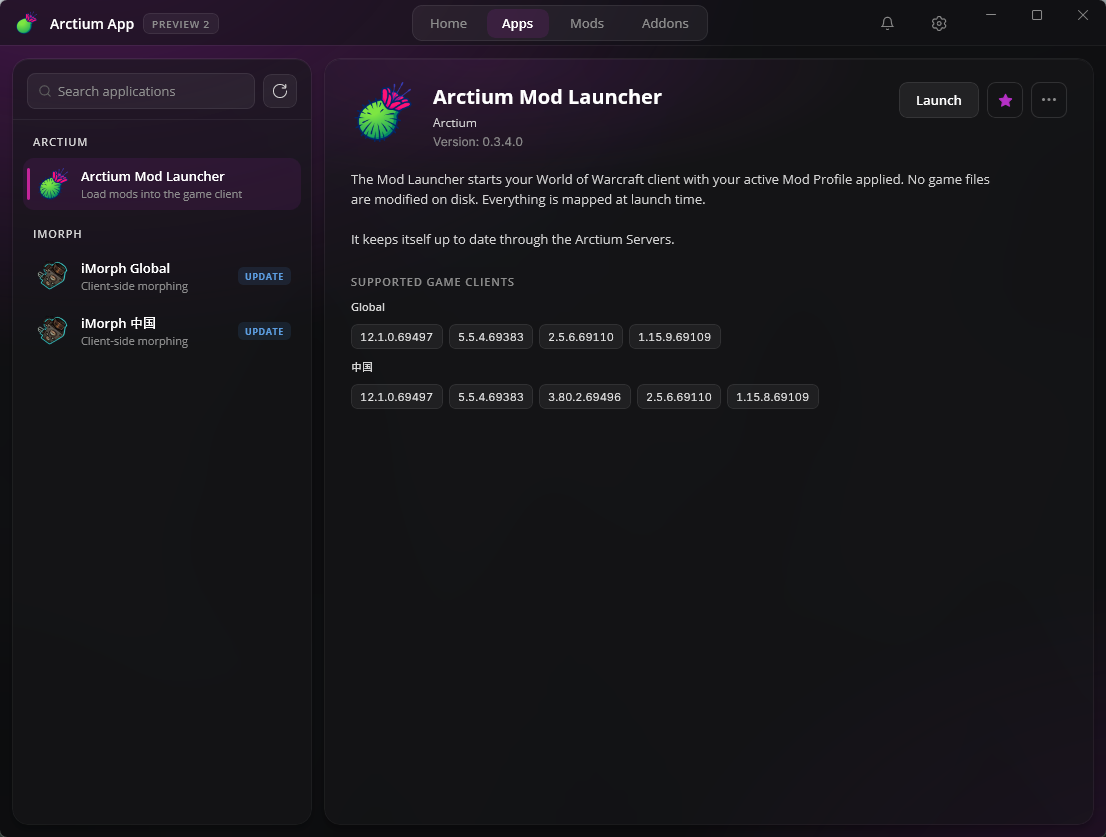
  • Full visual overhaul: redesigned Apps gallery with a publisher sidebar and a version list per app, new icons, new logo and a consistent look across every page.
  • Server side: products like iMorph should auto update now within 5 minutes after an official update got released.
  • Failed launches, installs, updates and removals now explain what went wrong. Failed verification shows a short reference code you can send us.
  • The Apps gallery is fetched in the background and cached, so pages open instantly.
  • Settings were reorganized into General, Game Clients and Appearance.
  • Game clients can be renamed and marked as default straight from their row.
  • Mods can be added directly into a category, and any mod or mapping row can be revealed in File Explorer.
  • Supported game builds are now shown on the app cards and in the detail view.
  • First run setup now asks for your language as well, and only shows the steps you have not set yet.
  • App updates can be checked manually with the new Check now button in the settings.
Fixed
  • Fixed app launches failing for users whose machine cannot reach the certificate revocation servers.
  • Fixed Arctium App updates being rejected during the signature check.
  • Fixed the update installer failing to download on some systems.
  • Fixed update checks offering versions that were not actually newer.
  • Fixed update entries sticking around after we pulled a version from the server.
  • Fixed a failed install snapping the button back to Get as if nothing had happened.
  • Fixed the launch console losing its content and pin when leaving the Mods page.
  • Fixed empty version and supported build labels for apps that are temporarily unavailable.
  • Fixed adding the same mod folder or mapping twice.
  • Fixed detecting the game client name and build from the executable.

Preview 2 v0.1.186

2025-11-21
Improved
  • Arctium App update check.
  • Real time app gallery/library update.
  • Change the settings button color (3 dots) when an update is available.
Fixed
  • Launching apps that utilize our module loader (iMorph).
  • Fixed App version label in the settings.

Preview 2 v0.1.181

2025-11-16
Added
  • Real-time app gallery version checks.
  • You can now add multiple mod folders & files at once.
  • Third-party project licenses to About page (first iteration).
  • New changelog dialog.
  • Product execution timeout added (30s).
Improved
  • High DPI scaling and minimum window size.
  • Update label now shows the new available version.
  • Show "Restart required" warning after region change.
Updated
  • UI style updates (navbar, toggles, lists).
  • Proper app window title & icon.
  • Launch console close behavior can be changed (does not auto close by default now).
  • Launch button on Mods page is now hidden by default (can be re-enabled in settings).
  • Show Launch on Mods page only if a mod launcher is installed.
  • New mod folders or file mappings are now enabled by default.
  • Alpha settings migration disabled.
Fixed
  • Fixed loading file mappings.
  • Settings migration fixes.
  • Reset connection state correctly when switching API/region (only non real-time app gallery connections).
  • Fixed app gallery refresh when region changes.
  • Fixed 'usage' label on Mods & Mapping page.
  • Fixed product refresh.
  • General fixes to the main app update process and other random bugs.
End-User License Agreement (EULA)

Please review and accept the EULA to download the Arctium App.

LAST REVISED: September 7, 2026

THIS VERSION OF THE ARCTIUM END USER LICENSE AGREEMENT BECOMES EFFECTIVE ON September 7, 2026 AND REPLACES THE VERSION OF October 5, 2019.

YOU SHOULD CAREFULLY READ THIS AGREEMENT ("EULA") BEFORE INSTALLING OR USING ARCTIUM PRODUCTS AND SERVICES.

"Arctium" and "we" in this EULA mean Arctium; who is behind Arctium is stated in the Legal Notice. The "Arctium Platform" or "Platform" means the Arctium App, the Arctium launchers, tools and every other program published under the Arctium name, including updates. The Platform is free of charge unless a feature is marked as a paid Arctium Pro feature; for those, the Refund Policy applies in addition.

License Grant

Arctium hereby grants you a personal, non-transferable, non-exclusive licence to use the Arctium Platform on your devices in accordance with the terms of this EULA agreement. You are permitted to load the Arctium Platform (for example a PC, laptop, mobile or tablet) under your control. You are responsible for ensuring your device meets the minimum requirements of the Arctium Platform. You may make a backup copy as far as it is necessary to secure your use of the Platform (section 69d (2) of the German Copyright Act, UrhG).

Unless the law expressly allows it (in particular sections 69d and 69e UrhG, for example decompilation for interoperability under the conditions of section 69e), you may not:

  • Edit, alter, modify, adapt, translate or otherwise change the whole or any part of the Platform nor permit the whole or any part of the Platform to be combined with or become incorporated in any other Platform, nor decompile, disassemble or reverse engineer the Platform or attempt to do any such things
  • Reproduce, copy, distribute, rent, resell or sublicense the Platform or make it available to the public
  • Allow any third party to use the Platform on behalf of or for the benefit of any third party
  • Use the Platform in any way which breaches any applicable local, national or international law
  • Use the Platform to cheat, bot, automate gameplay or gain an unfair advantage in an online game, to violate the terms of a game publisher or platform, or to circumvent or disable the Platform's anti-cheating component

Third-Party Games and Platforms

The Platform works with games and services of other companies, for example World of Warcraft, Final Fantasy XIV or Diablo. Those games belong to their publishers; Arctium is not affiliated with, endorsed by or sponsored by them. You are responsible for using the Platform in line with the terms of the game or platform you use it with. Some publishers do not allow modifications or third-party tools in their online games and may act against your game account; we cannot influence that and are not responsible for it. If you install the Platform through the Microsoft Store, the Microsoft Store terms apply to the installation in addition to this EULA.

Anti-Cheating & Anti-Piracy

In an effort to combat the efforts of those individuals who are willing to violate the EULA, Arctium utilizes an 'anti-cheating' utility that runs as part of Arctium products and services. This 'anti-cheating' utility performs limited scans of:

  • the Random Access Memory ('RAM') that is occupied by a Arctium product to confirm that the Arctium products program has not been altered or 'hacked' in violation of the EULA;
  • the Arctium products 'process' to determine if any unauthorized third-party programs or computer code has been attached to the Arctium products process;
  • the Windows Process List to determine if any confirmed hacking, botting or cheating programs are presently open in violation of the EULA
  • the Windows Handles list to see which processes have a handle to the Arctium products 'process'. Additional information obtained from RAM and/or disc for the processes that have a handle to the Arctium products 'process' will be used to determine if it is a confirmed hacking, botting or cheating program in violation of the EULA.

The information that is obtained from this activity is communicated to Arctium, who uses it solely to determine if the computer that a user is using to log on or to use Arctium services and prodcuts has any unauthorized third-party programs, such as 'hacks', 'bots', or 'cheats' that violate the EULA and is not used for any marketing purposes, and will never be sold, leased, or otherwise transferred to any third party (except where we are legally obliged to or need it to enforce our rights in court). The legal basis for this processing is our legitimate interest in the integrity of the Platform and fair play (Art. 6 (1) (f) GDPR). What is scanned, what is transmitted, how long it is kept and your rights are described in the Anti-Cheat Agreement and the Privacy Policy, which are part of this EULA.

In the event that Arctium detects an unauthorized third-party program, Arctium may in its sole determination:

  • communicate information back to Arctium, including without limitation your Arctium services account name, details about the unauthorized third party program(s) detected, and the time and date the unauthorized third party program was detected; and/or
  • exercise its rights under this EULA, in particular under "Termination". A sanction that affects your Arctium account is reviewed by a person before it takes effect, and you can object to it at legal@arctium.io.

Intellectual Property and Ownership

Arctium shall at all times retain ownership of the Platform as originally downloaded by you and all subsequent downloads of the Platform by you. The Platform (and the copyright, and other intellectual property rights of whatever nature in the Platform, including any modifications made thereto) are and shall remain the property of Arctium.

Arctium reserves the right to grant licences to use the Platform to third parties.

Termination

This EULA agreement is effective from the date you first use the Platform and shall continue until terminated. You may terminate it at any time by uninstalling the Platform and deleting your copies.

Arctium may terminate it for good cause, in particular if you violate the License Grant or the Anti-Cheating section; where reasonable, Arctium will warn you first. Paid subscriptions end according to the Refund Policy. Upon such termination, the licenses granted by this EULA agreement will immediately terminate and you agree to stop all access and use of the Platform. The provisions that by their nature continue and survive will survive any termination of this EULA agreement.

Warranty and Liability

Free parts of the Platform. For parts of the Platform you do not pay for, Arctium is liable for defects only if it fraudulently conceals a defect, and for damages only in cases of intent or gross negligence (sections 521 to 524 of the German Civil Code, BGB).

Paid features. For paid features the statutory warranty for digital products applies (sections 327 and following BGB).

Liability in all cases. Arctium is liable without limitation for intent and gross negligence, for injury to life, body or health, under the German Product Liability Act and for guarantees it expressly gave. For simple negligence Arctium is liable only for the breach of an obligation whose fulfilment makes the proper performance of this EULA possible in the first place and on whose fulfilment you may regularly rely (a cardinal obligation); in that case liability is limited to the damage that is typical for this kind of agreement and foreseeable. Any further liability is excluded. These limits also apply in favour of Arctium's employees and agents.

The Platform is made by players in their spare time. Please keep backups of your game data and settings.

Changes to this EULA

Arctium may change this EULA when there is a good reason, for example a change in the law, a court decision, a new function or a security requirement. The new version is shown in the Platform or sent by email at least four weeks before it takes effect. If you do not agree, you can end this EULA under "Termination"; new versions of the Platform and online functions may require the new terms.

Governing Law

This EULA agreement, and any dispute arising out of or in connection with this EULA agreement, shall be governed by and construed in accordance with the laws of the Federal Republic of Germany, excluding the UN Convention on Contracts for the International Sale of Goods. If you are a consumer living in another country of the European Union, the mandatory consumer protection rules of that country remain in force.

If you are a merchant, a legal entity under public law or a special fund under public law, the courts at Arctium's registered seat have jurisdiction. Arctium is not willing or obliged to take part in dispute resolution proceedings before a consumer arbitration board (section 36 VSBG).

This EULA exists in English and German; in case of doubt the German version prevails. If a provision of this EULA is or becomes invalid, the rest remains in force.

Contact Us

If you have any questions about this EULA, please contact us by email: legal@arctium.io

Scroll to the end to accept.
Reconnecting… Connection lost, retrying in s Connection lost. Session paused. Could not resume the session.